Instructions
Step 1
Welcome to the Library!
You ought to have received a document from us called the Free License Contract. If you have not received it please contact us at info@whattookyousolong.org
Step 2
Photo: You can save any photo you need directly from the photo library either by dragging and dropping or by right-clicking on the images and selecting ‘save image’. If you need a higher resolution image or one without the watermark, please let us know.
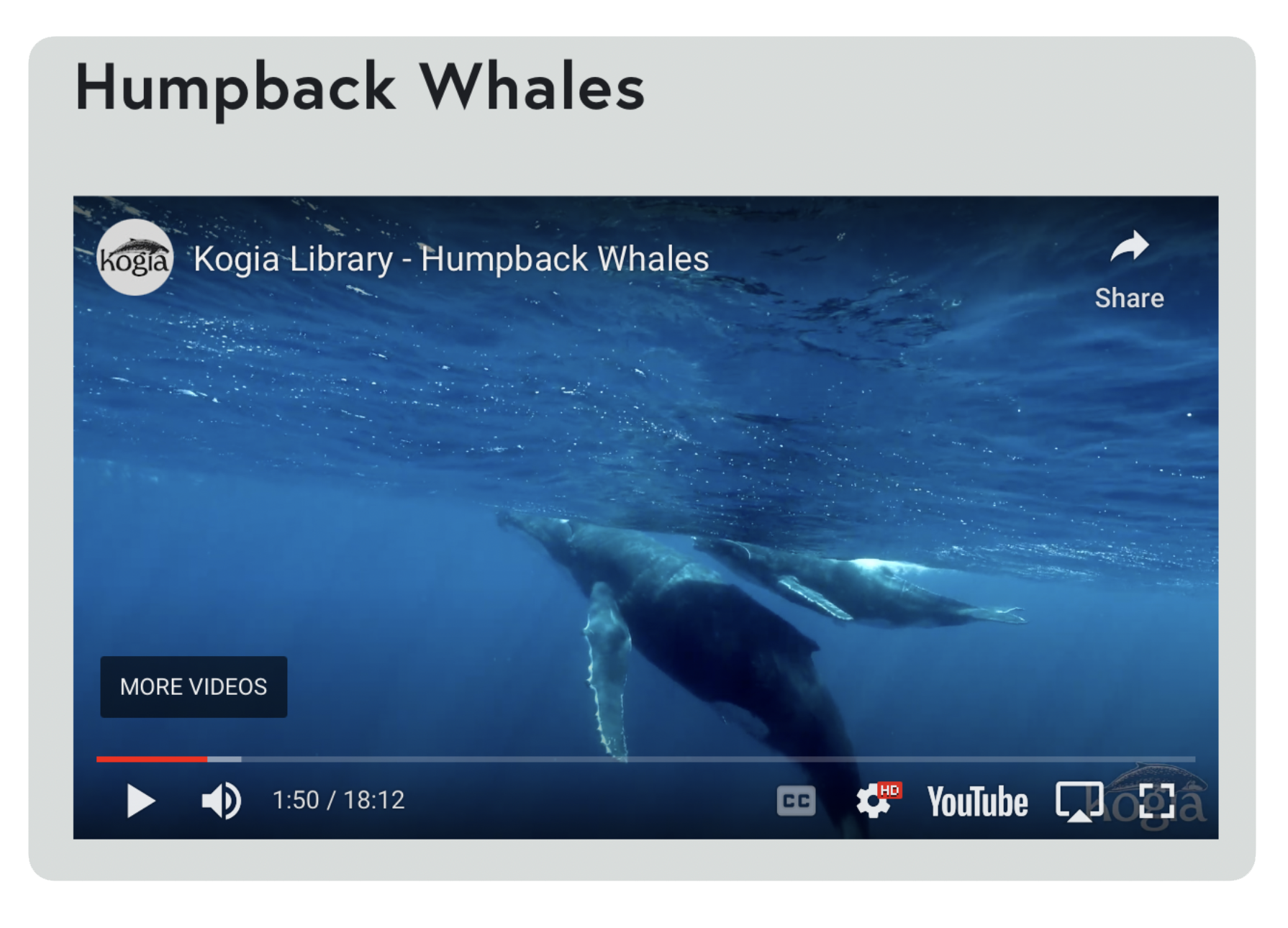
Video: Our footage is organized into thematic string-outs. In the table below fill out which the timecodes for each clip you want. Select a timecode roughly in the middle of the required clip. For example if you want a clip from the Humpback Whales string-out that runs from minute 1:40 to minute 2:00 type 1:50 in the column facing Humpback Whales. See example below.
Step 3
Read and fill out the license contract we sent you, including the timecodes in the table provided. Once we receive the contract from you, we will assemble a personalized string-out with all the requested clips.
Step 4
Please send us what you’ve made using our footage, we’d love to watch and share!